The working tools
What CarterGarden does today
Every feature on this page is built and working in the current app. The roadmap lists what is coming; it never hides here.
01 · Garden plotting
Draw the garden you actually have
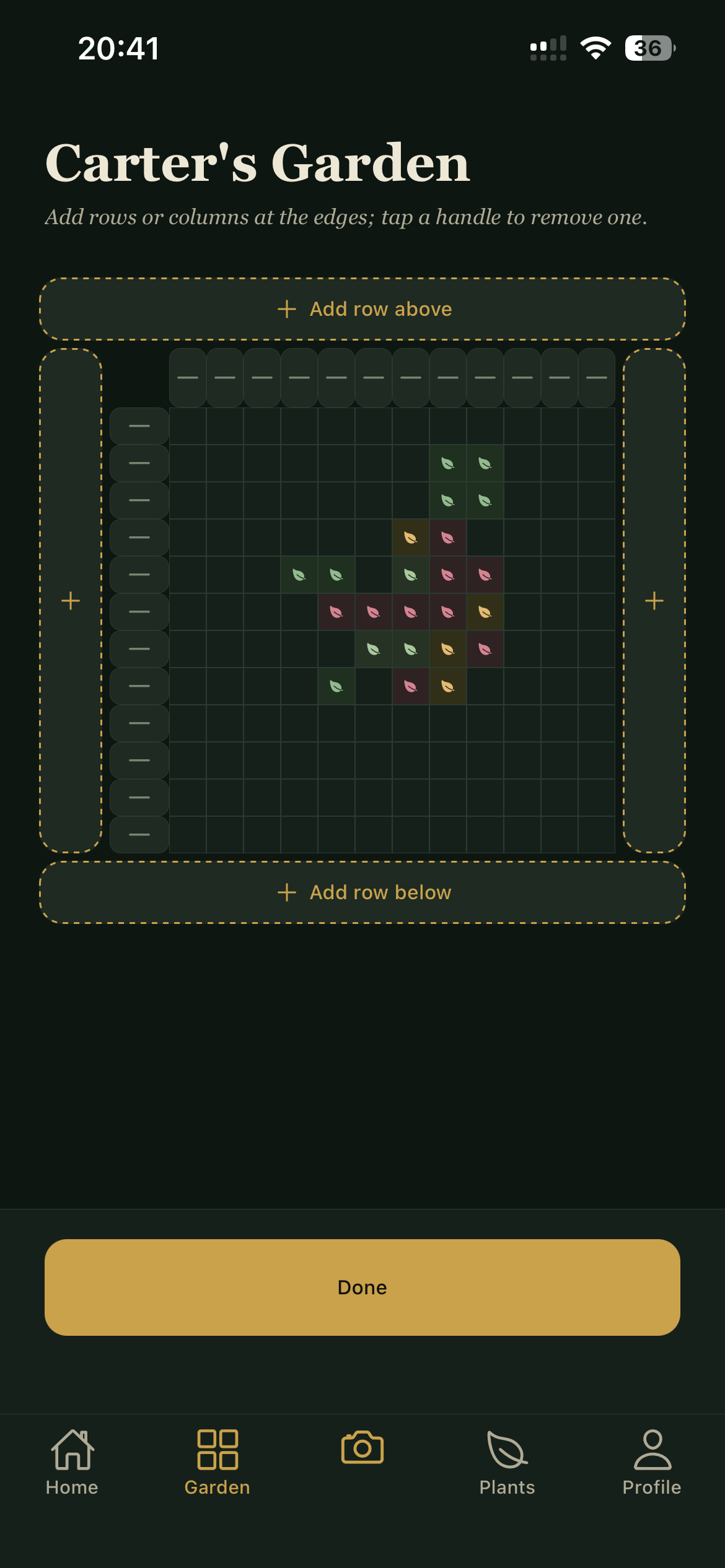
Beds on a grid, laid out the way they sit in the yard. Add rows and columns at the edges as the garden grows. Tap a bed to plant, swap, or clear it.
- Pinch to zoom and pan like a map; Far, Fit, and Near presets
- Drag a corner to plant one plant across a bigger patch in a single motion
- Adjacent beds of the same plant merge into one plot with one label
02 · Plant logging
Write down what you are growing
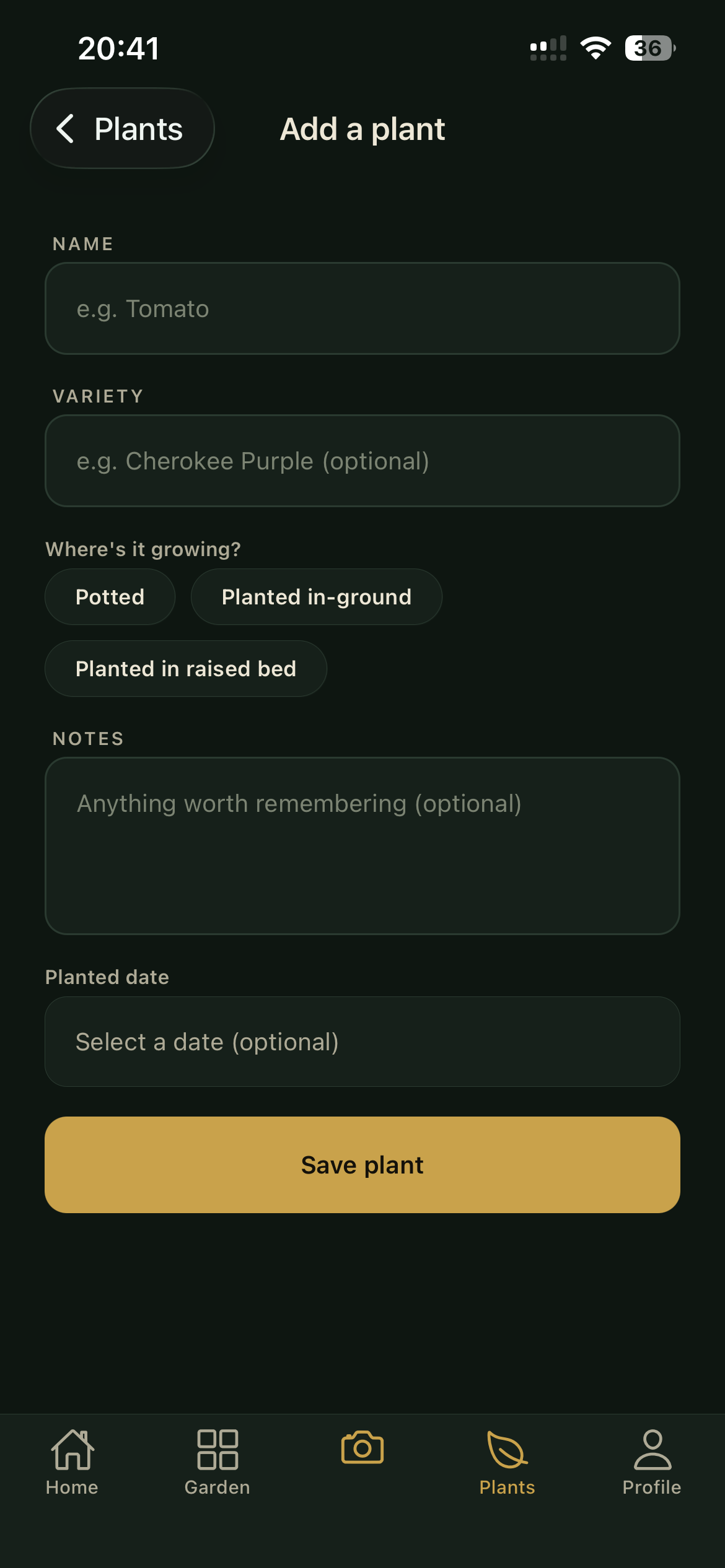
A short, honest record per plant: name, variety, potted or in the ground, the day you planted it, and a notes line for whatever else matters. No fields you will never fill in.
That record is what the garden map, the pet-safety check, and the care reminders all draw on.
03 · Pet safety
A verdict per pet, from the ASPCA
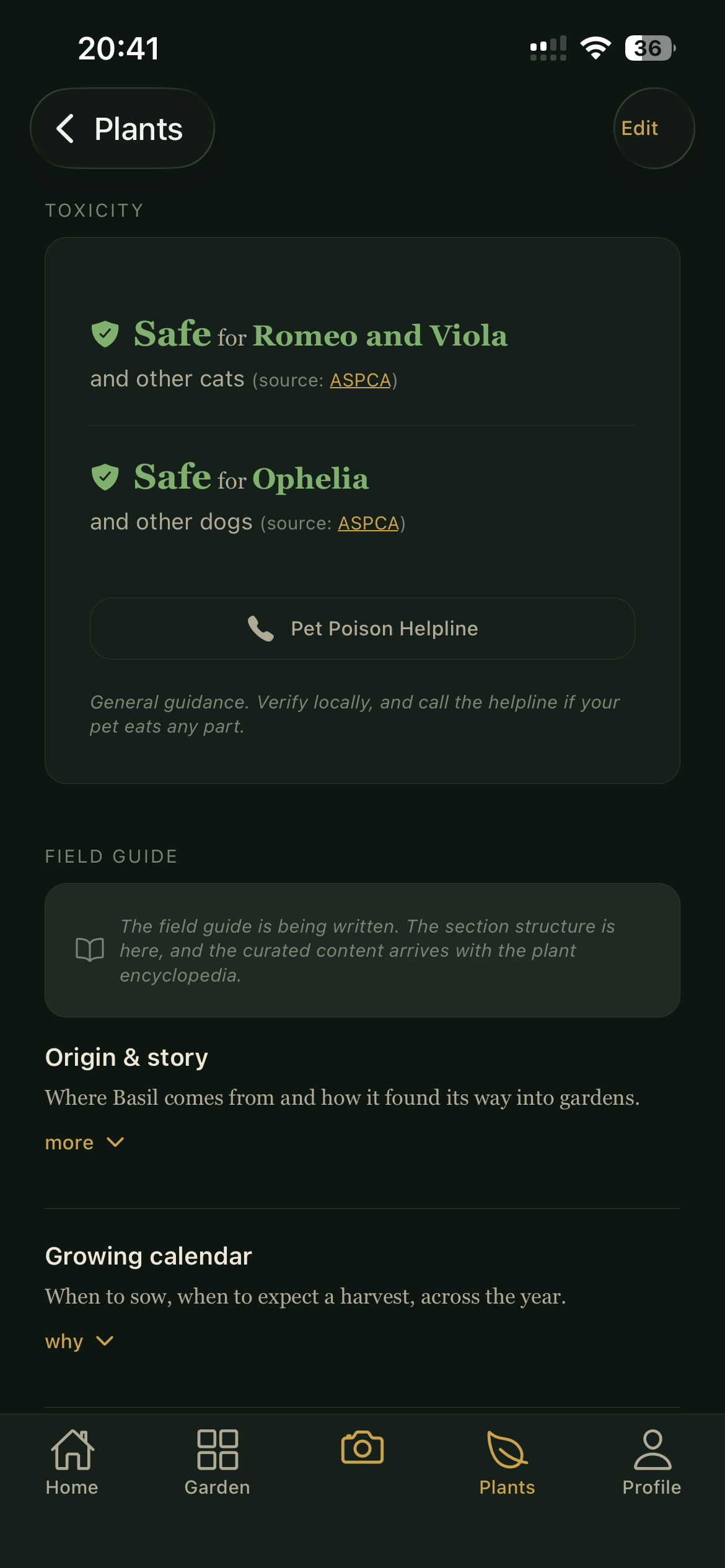
Tell the app about your cat or dog and each plant page answers the question that matters: is this safe for them? Verdicts come from the ASPCA's toxic and non-toxic plant lists, cited on the card.
- Per-pet answers: a plant can be toxic to dogs and safe for cats
- Ambiguous names prompt you to pick the right plant, never guessing the safe one
- No data means the app says "no safety data", never a pretend "safe"
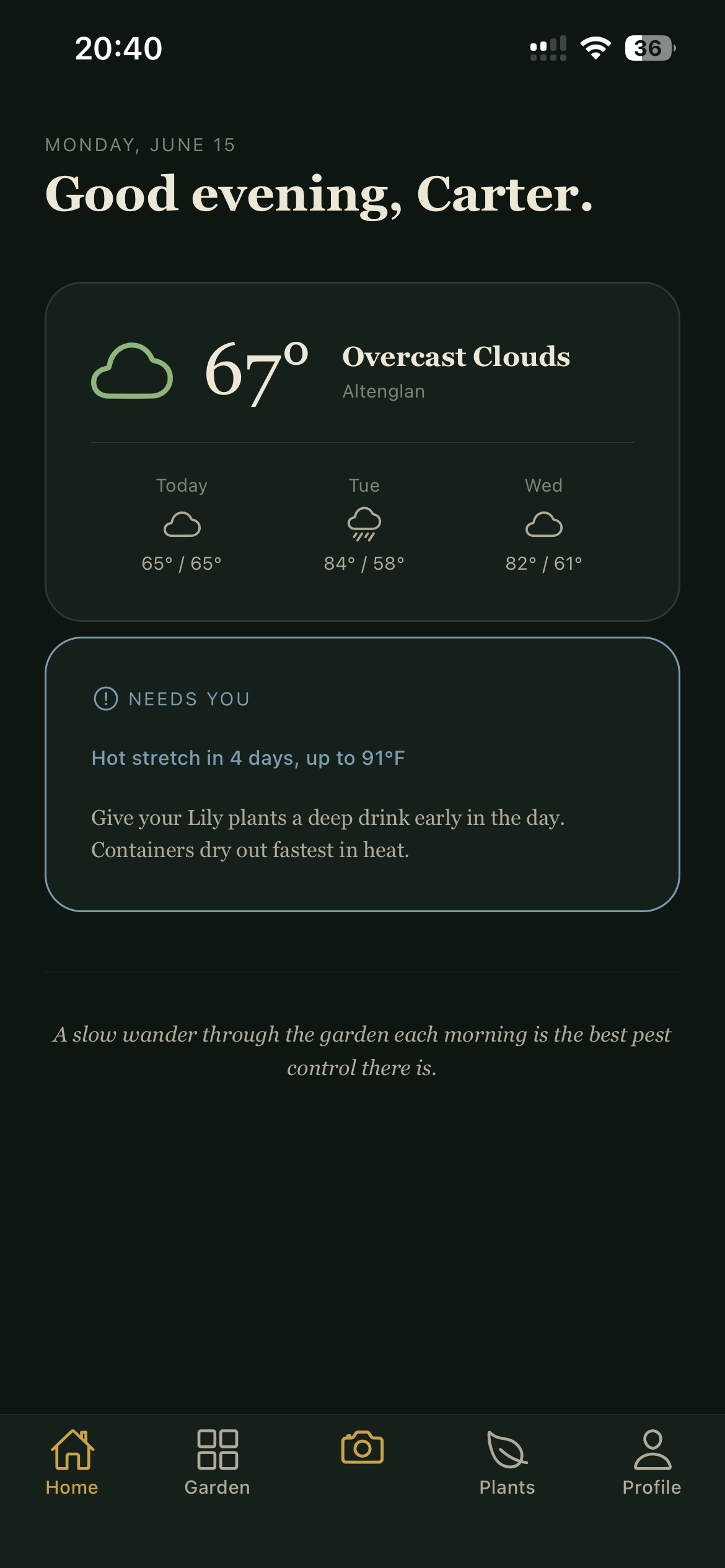
04 · Weather awareness + care
The forecast, read against your beds
Open the app and it checks your local forecast (from OpenWeather) for a freeze, frost, heat, or high wind, then names the plants most at risk: the potted ones before a freeze, the thirsty ones before a hot stretch.
Care reminders live beside it: watering and seasonal tasks on a cadence you choose, with a one-tap done. Both show when you open the app. Push notifications are on the roadmap.
And the rest?
Plant identification, tag scanning, a plant doctor, a care library: all planned, none shipped, and this site will never blur that line. The roadmap says exactly where things stand.